
Board a merchant. Then help it get paid.
Bring a merchant onto Sovara Core™ through your channel, link it to your book, and help it set up every way it takes payments. The merchant runs its payments in its own Sovara One™ account. You stay in the loop.
Board it
Start the application through your channel. Your application, pricing and agreement show your company first. The processor approves the merchant.
Link it to your book
Invite the merchant from Sovara Hub™, or accept the link when it enters your partner code in Sovara One™.
Help it set up
With setup access the merchant grants, set up checkout, links, a cart, Tap to Pay and terminals for it.
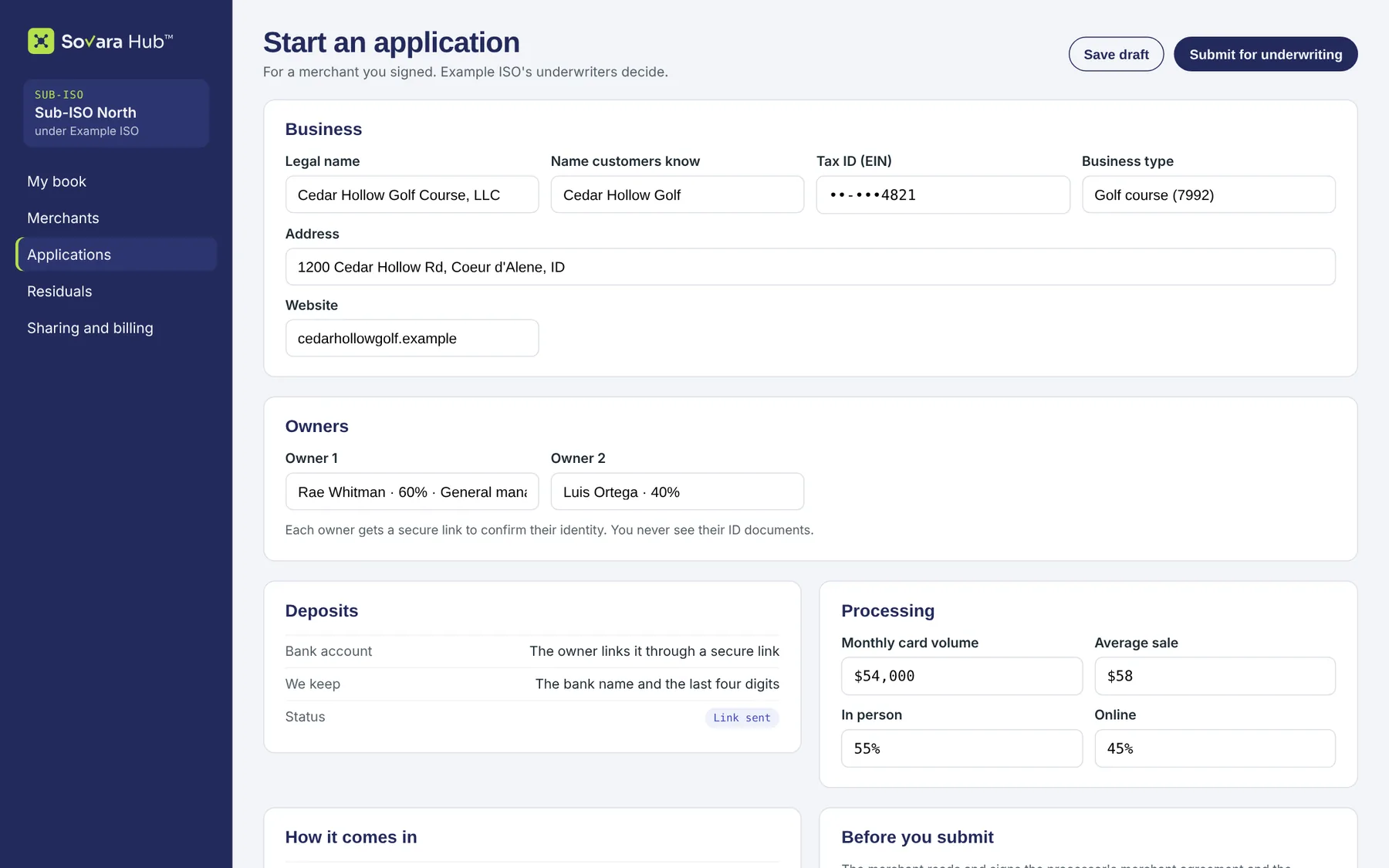
An application in your name.
Collect the business, its owners, its bank account and its processing profile. Owners confirm their identity through a secure link. Your underwriters, or your ISO's, decide.
- Your company shows first on the application, the pricing and the agreement.
- The processor approves each merchant account. Each location gets its own.
- Every check is on the record, and two people close a possible sanctions match.
Example data
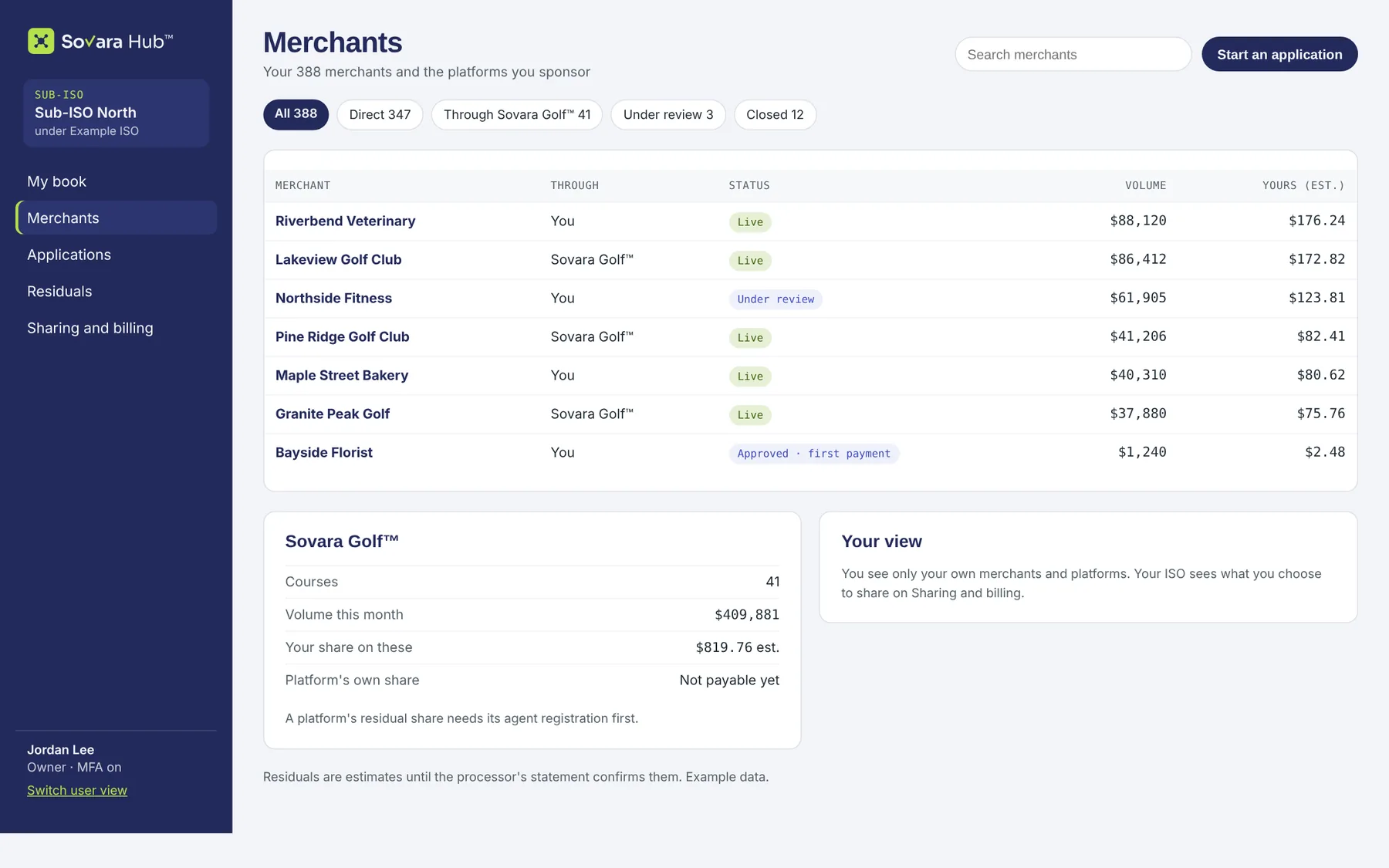
Every merchant in your book, however it arrived.
A merchant you invite is linked from its first sign-in. A merchant that already has a Sovara One™ account enters your partner code, and you accept the link in Sovara Hub™.
- Invite by email from Sovara Hub™.
- Accept or refuse each partner-code request.
- The merchant's history stays with the merchant. You see it from the link onward, unless the merchant shares more.
Example data
Online, by link, at the counter.
Help each merchant set up the ways its customers pay. Everything lands in the merchant's Sovara One™ account and in your book.
Checkout page
Sovara Pay™ Checkout with the merchant named as the seller.
PilotPayment links
Links and QR codes the merchant sends by email or prints.
PilotWebsite drop-in
A payment form inside the merchant's own pages.
Expanded pilotWebsite cart
A catalog, a cart and orders on the merchant's site.
Expanded pilotInvoices
Itemized invoices the merchant's customers pay online.
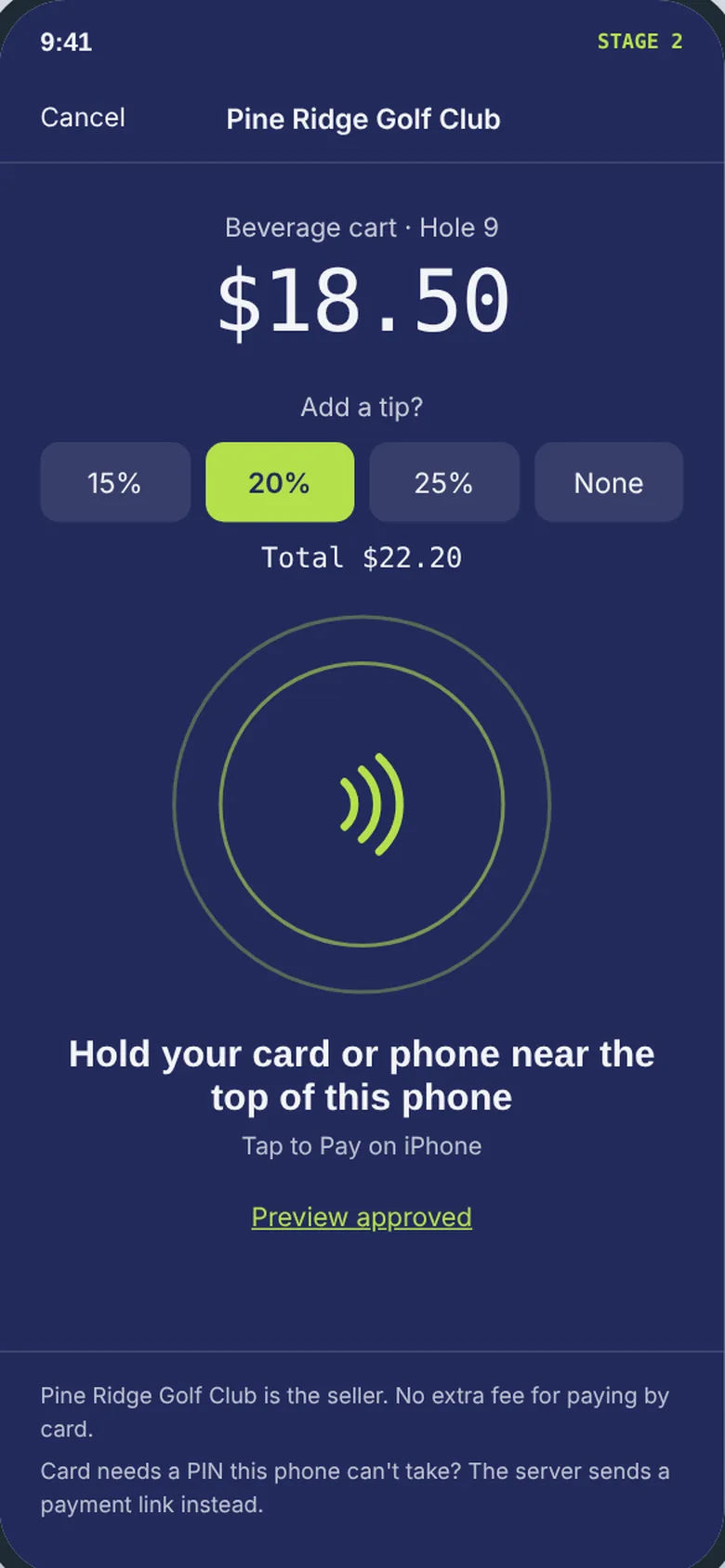
Expanded pilotTap to Pay
Staff phones that take cards, with tips.
Expanded pilotTerminals
Certified terminals, paired to a location.
Full launchSovara Counter™
A white-label POS on off-the-shelf hardware.
After launchAccess the merchant grants, and can take back.
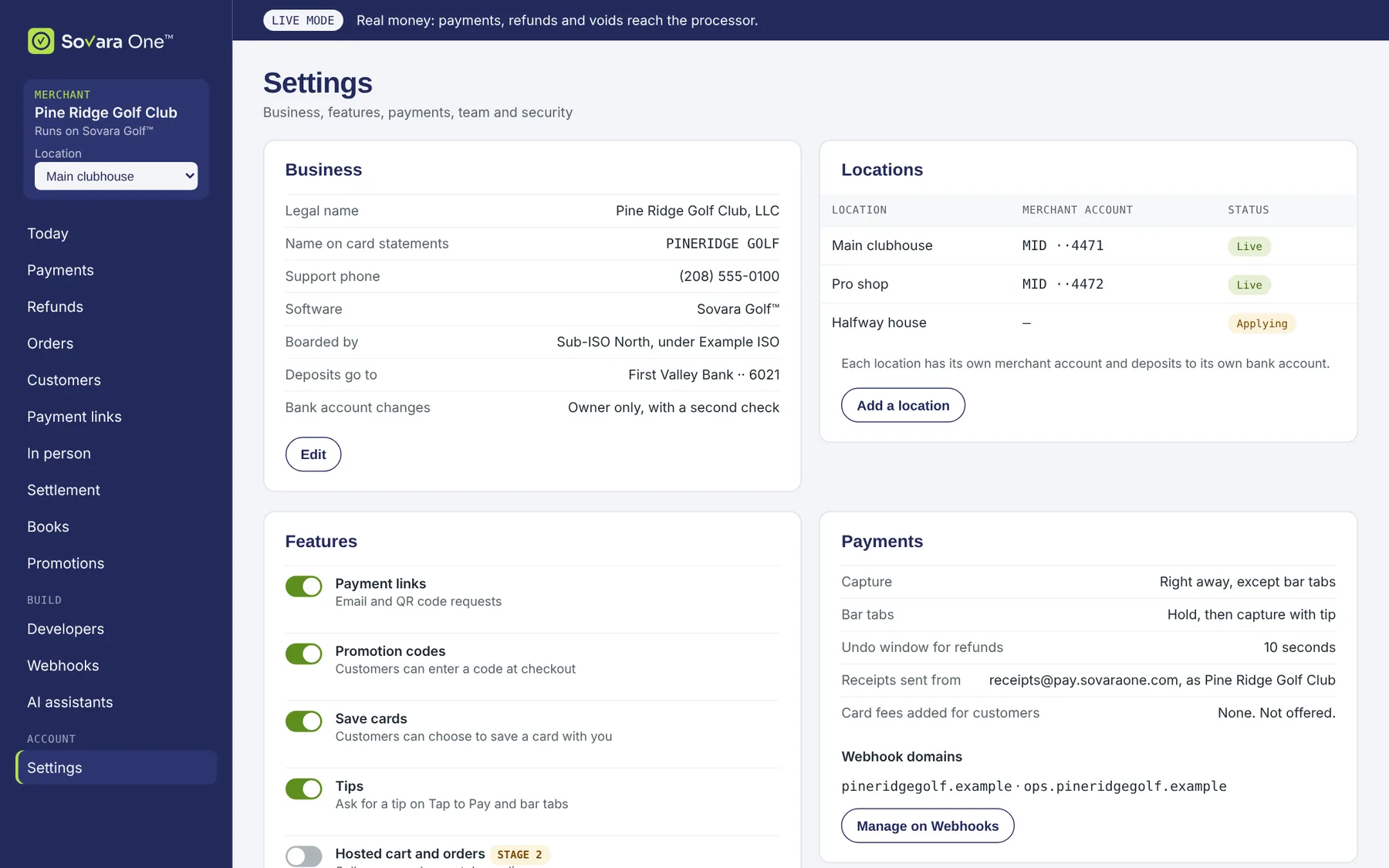
Setup help is delegated access. The merchant grants it in Sovara One™. You work in its settings from Sovara Hub™, inside the limits it set.
- Scoped: only the areas the merchant chooses, such as checkout or terminals.
- Time-limited: the access ends on its own.
- Audited: every change is recorded, with who made it and when.
- Revocable: the merchant can turn it off at any time.
Example data
Terminals go through you.
Merchants order terminals through their ISO or sub-ISO. You set any hardware price. Sovara One, LLC doesn't sell or lease hardware.
- Terminals the payment gateway certifies, paired to a location.
- Charged once: every terminal sale follows the same two-step record as online.
- No offline sales and no card fee added.
Connect your first merchant.
Book a demo and we'll walk through boarding, linking and setup with your own book.